


Do you want to take your Minecraft experience to the next level? Try the best Minecraft launchers listed in this article.
Minecraft is more than a game; it's a universe where you can build and explore practically anything you can imagine. But if you want to boost your gameplay and make everything even more personalized, free Minecraft launchers are key. They help you install mods, play with multiple accounts, and much more, all without hassle. In this article, we'll dive into the 8 best free Minecraft launchers of 2025, perfect for those who want more from their block world. Let's go discover how to make your game even cooler!
List of the 8 Best Free Minecraft Launchers in 2025
Here are our top picks for Minecraft launchers, perfect for both simpler PCs and those super-powered ones. With them, you can install heavy mods and have everything run smoothly, greatly improving your gaming experience. In our list, we considered performance (the priority), features, and design.
1. SKLauncher
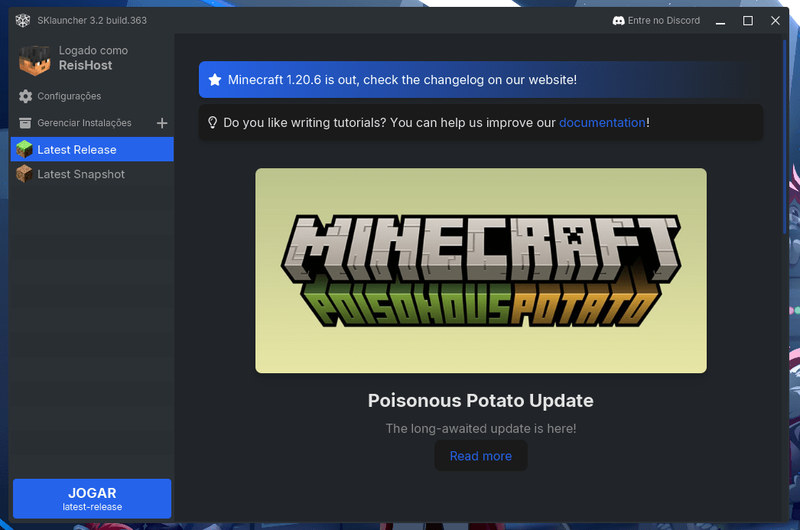
In our opinion, SKLauncher is the best free Minecraft launcher in 2025 thanks to its clean design, great performance, simple modpack installation (integrated with CurseForge and Modrinth), support for more than 20 languages, and many more features.
Key features of SKLauncher:
- Supports official and cracked Minecraft.
- Integrated support for Modrinth and CurseForge to make it easier to install modpacks.
- Delta update system for fast and lightweight updates.
- Easy skin and cape management via the SKLauncher website.
- Frequent updates.
- Works on Windows, macOS, and Linux.
Click here to download SKLauncher.
Note: The download may not work if you have an active ad blocker.
2. MultiMC
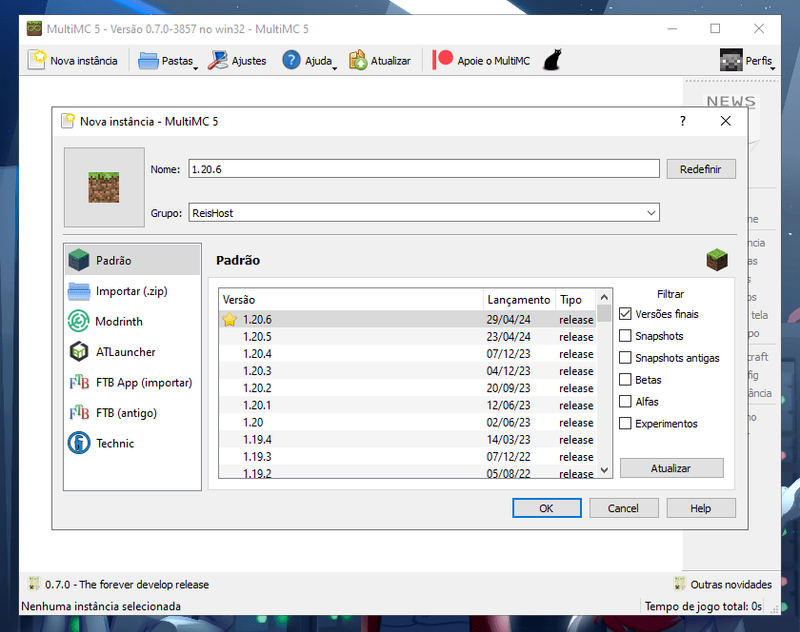
Now let's talk about MultiMC, a free and open-source Minecraft launcher, super famous. It lets you manage multiple Minecraft instances in an isolated way, easily view all details such as mods and logs, adjust Java settings without hassle, and it also comes with a bunch of cool features.
Key features of MultiMC:
- The game logs are colorful and full of details to help troubleshoot issues.
- You can play older versions of Minecraft exactly as they were when they were released.
- If the game crashes or a bug occurs, you can close everything without hassle.
- It installs well-known mod loaders (modloaders), such as Fabric, Forge, LiteLoader, and Quilt, hassle-free.
- It supports managing your worlds in Minecraft as well as resource packs or textures.
- You can import and export Minecraft instances easily.
- Allows importing modpacks from various platforms, such as CurseForge and Modrinth.
- Works on Windows, macOS, and Linux.
Click here to download MultiMC.
3. CurseForge
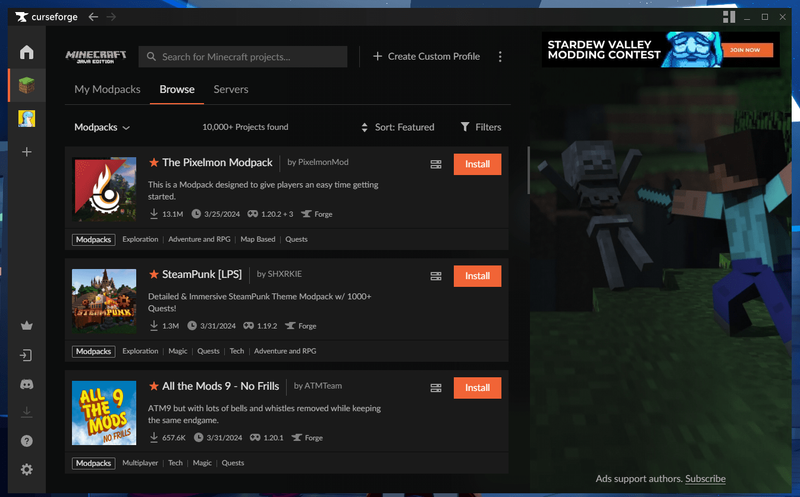
Now it's CurseForge's turn. This free Minecraft launcher makes it easy to install several mods in a highly integrated environment. In addition, it is famous for its nice interface and offers some very useful features.
Key features of CurseForge:
- A fast and nimble application that runs in the background and updates itself automatically.
- Provides support (monetary compensation) to mod creators
- Allows hassle-free management of mods.
- Works with other games, not just Minecraft.
- As one of the most widely used launchers, you will find numerous tutorials for the CurseForge launcher.
- Works on Windows, macOS, and Linux.
Click here to download CurseForge
4. TLauncher
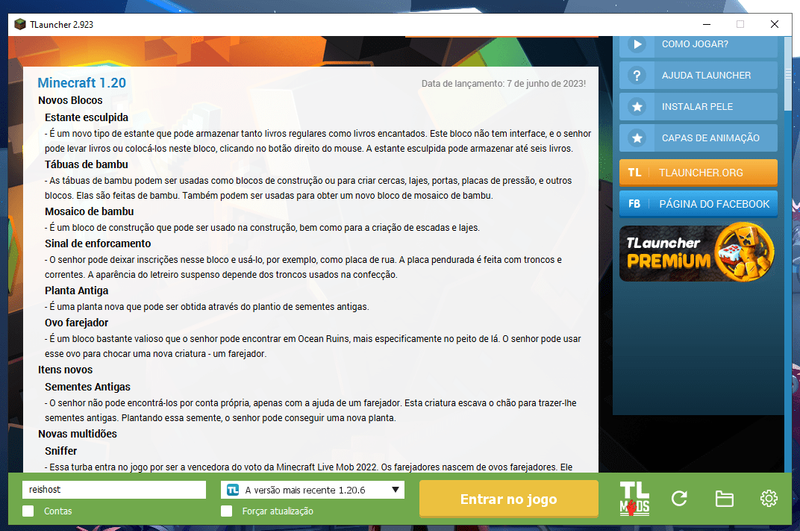
Now, let's check out TLauncher, one of the Minecraft launchers most popular. It supports all game versions, from Alpha to the latest Snapshots. Additionally, it has a ton of incredible features, such as a unique skin system that lets you choose your own visible skin for all other players using the same launcher, ease of installing modpacks, shader packs, resource packs, etc...
TLauncher highlights:
- Easy-to-navigate interface.
- Hassle-free management of multiple separate Minecraft instances.
- One-click installation of Forge, Fabric and OptiFine.
- Ability to log in using your Microsoft account or with pirated Minecraft.
- Works on Windows, macOS and Linux
Click here to download TLauncher
5. ATLauncher
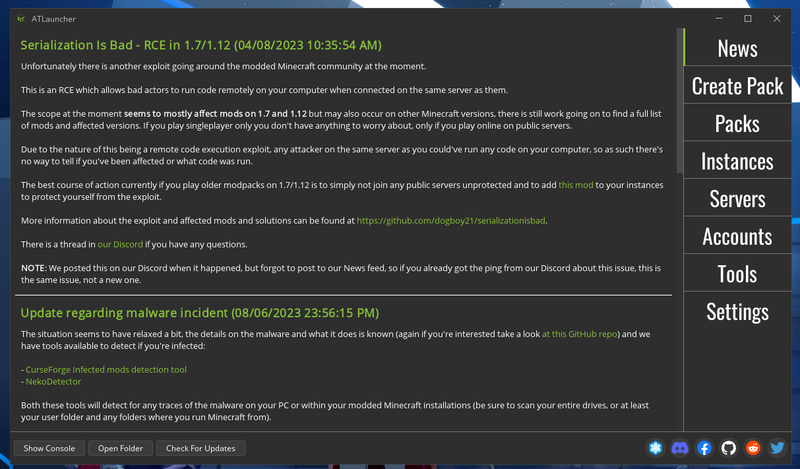
Although it doesn't have Brazilian Portuguese support, ATLauncher is a great option for playing Minecraft on low-end PCs. It is very popular for its ease and speed in installing modpacks, for the integration of multiple modpacks, for automatically using the correct Java version, for support for multiple Minecraft instances, and for other amazing features.
ATLauncher highlights:
- Easily switch between multiple accounts.
- Save backups with just one click.
- Supports mods and mod packs, including Technic, FTB and CurseForge.
- Mod management without hassle.
- Works on Windows, macOS and Linux
Click here to download TLauncher
6. GDLauncher
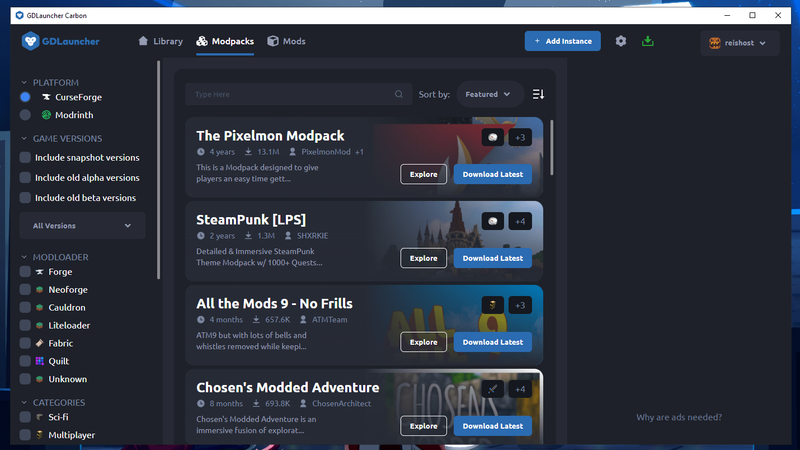
GDLauncher is a simple and practical launcher that stands out by allowing direct installation of Fabric and CurseForge mods, supporting Microsoft accounts, automatically configuring Java, among other features. This makes it one of the best free launchers for Minecraft, although it does not support pirated Minecraft and does not have Brazilian Portuguese language support.
GDLauncher highlights:
- Integrated mod manager.
- Has a light and dark mode interface.
- Includes an automatic updater.
- Allows importing and exporting modpacks.
- Works on Windows, macOS and Linux.
Click here to download GDLauncher
7. Salwyrr Launcher
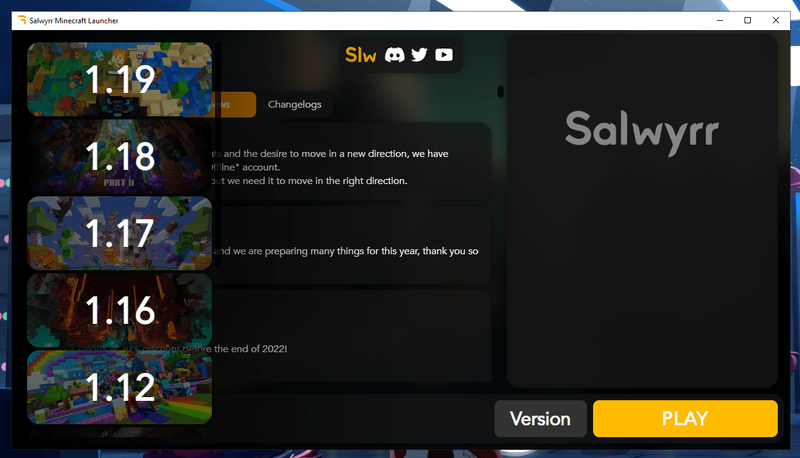
Meet the Salwyrr Client Launcher, a robust and efficient option for Minecraft players. This launcher is notable for its ability to optimize performance on less powerful PCs and for offering exclusive features that enrich the gaming experience, although it only runs from version 1.8.9 up to 1.19.2 and does not have Brazilian Portuguese language support.
Salwyrr Client Launcher highlights:
- Accessories such as cosmetics, capes, and wings available for free.
- Optimized for low-end PCs, no Forge required and with OptiFine support.
- Salwyrr Chat enables communication between users across different servers.
- Coin accumulation based on play time, which can be used to unlock items.
- Works on Windows, macOS, and Linux.
Click here to download the Salwyrr Client Launcher
8. Prism Launcher
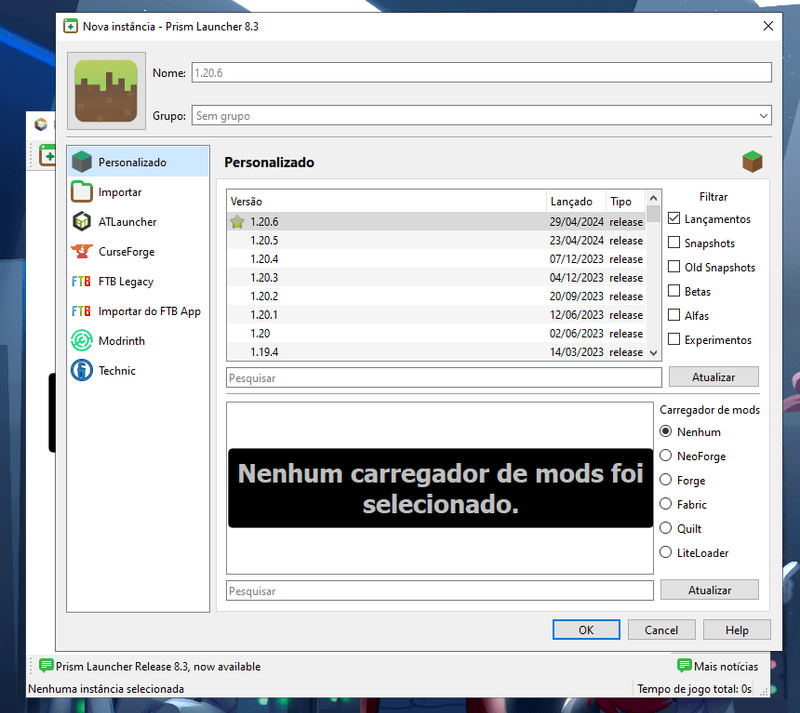
Based on the open-source MultiMC launcher, we would like to introduce Prism Launcher. This is one of the friendliest and best Minecraft launchers around. Moreover, Prism Launcher is known for its simplified modpack management, easy installation, and the following notable features.
Notable features of Prism Launcher:
- Download and update mods seamlessly, directly from CurseForge and Modrinth.
- Excellent instance management.
- Fast updates and maintenance of modpacks.
- Low resource usage, with customizable menus and adaptable themes.
- Works on Windows, macOS, Linux, and Steam Deck.